
Connect your Reports to any dashboard with the Assista JSON API

Your report data, wherever you need it.
If you've ever wanted to pull your Assista report data into an external dashboard, a client portal, or a custom tool, now you can.
We've added a JSON API endpoint to Saved Reports. It lets you fetch your report data and use it anywhere you need it.
How does it work?
*The JSON API works with private reports. Your passkey controls who can access the data.
Setting up a new report
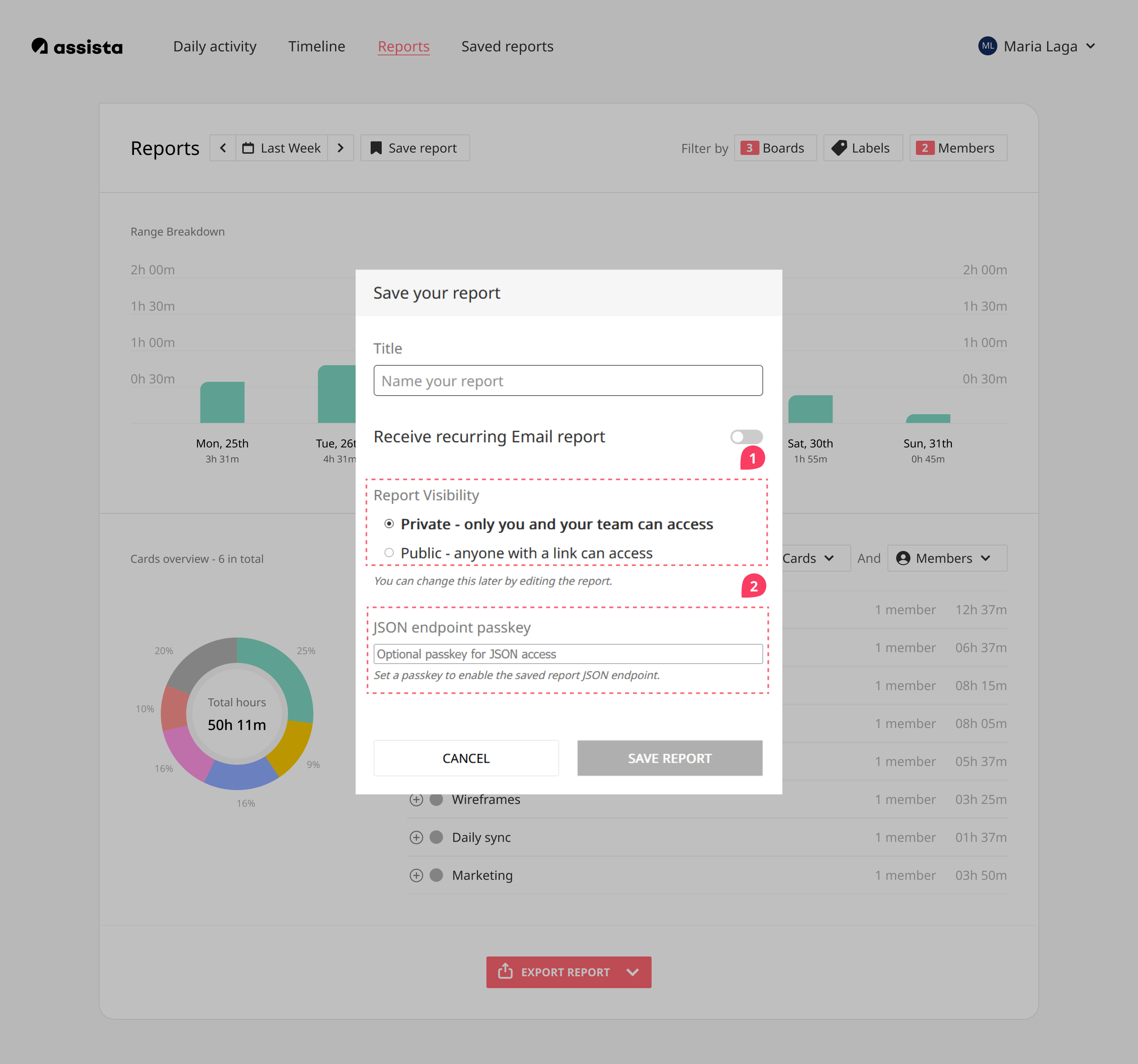
- When saving a new report, keep Report Visibility set to Private.
- Scroll down to JSON endpoint passkey and enter a passkey to secure your endpoint; you'll need this to access your report data later.
- Click Save report.
Adding it to an existing report
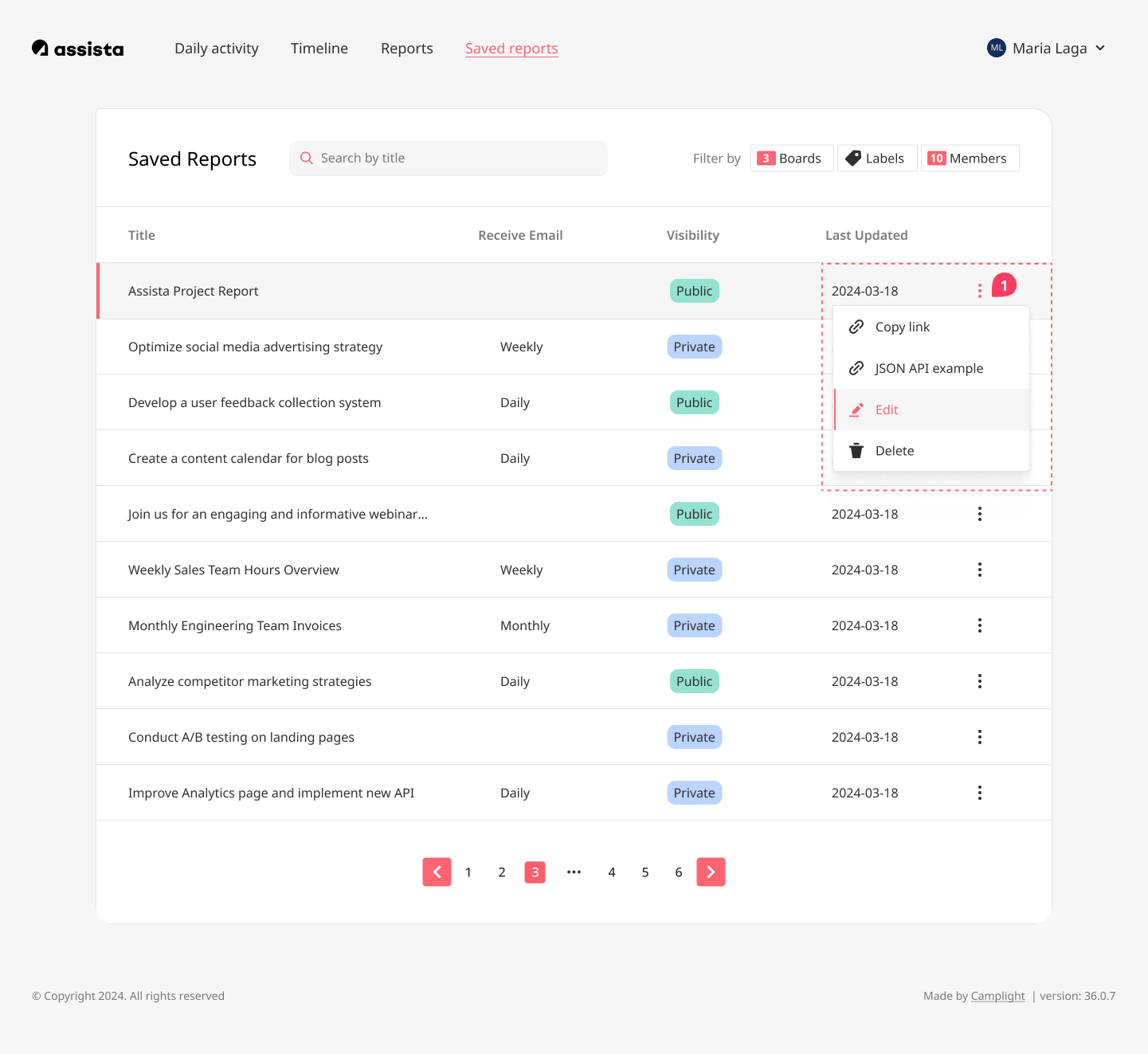
- Open your Saved Reports and find the report you want to connect.
- Click the ⋮ (three-dot) menu and select Edit.
- Scroll down to JSON endpoint passkey and enter your passkey.
- Make sure Report Visibility is set to Private.
- Click Update report.
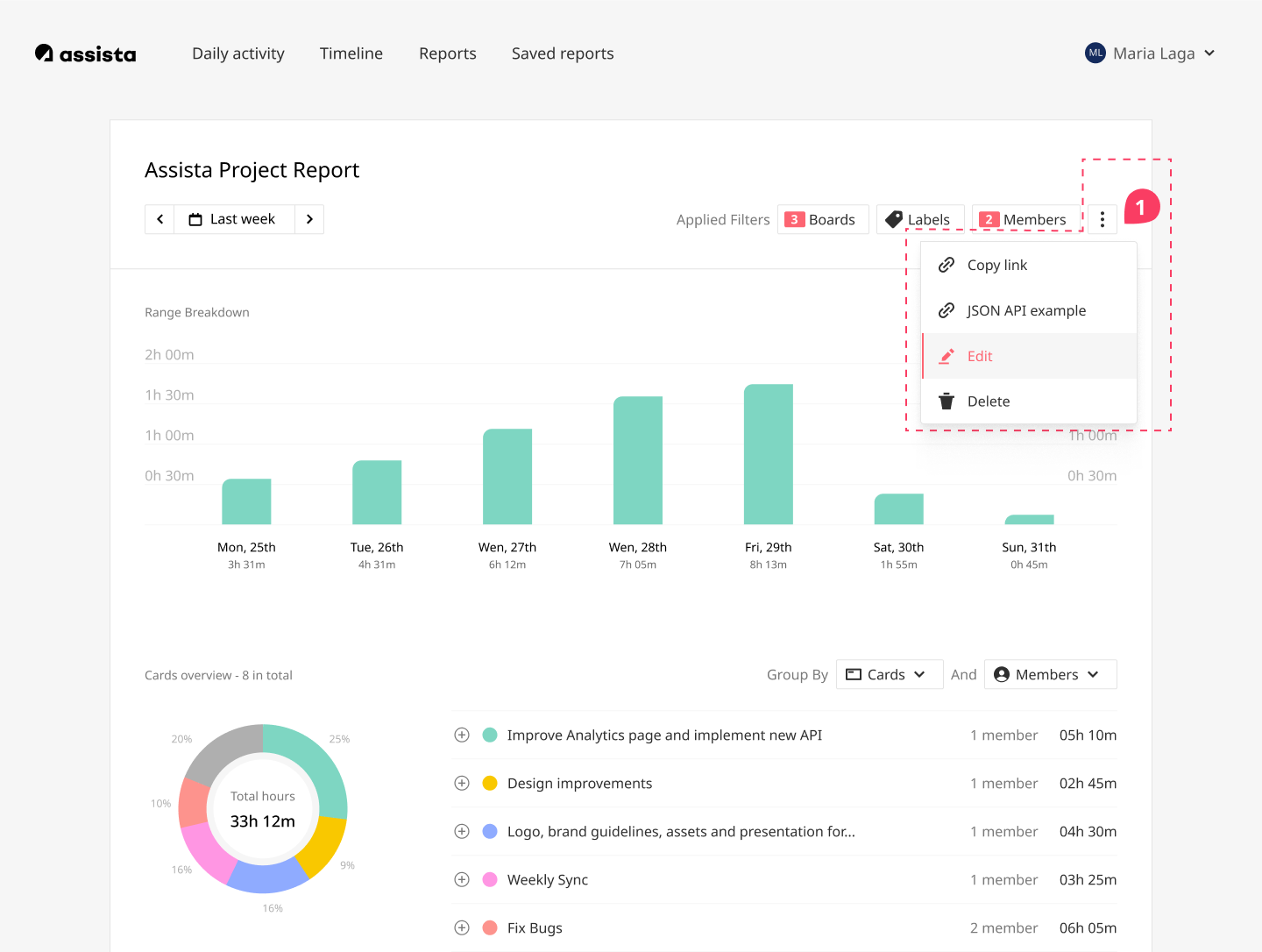
You can also access it directly from the report view.
Using the API
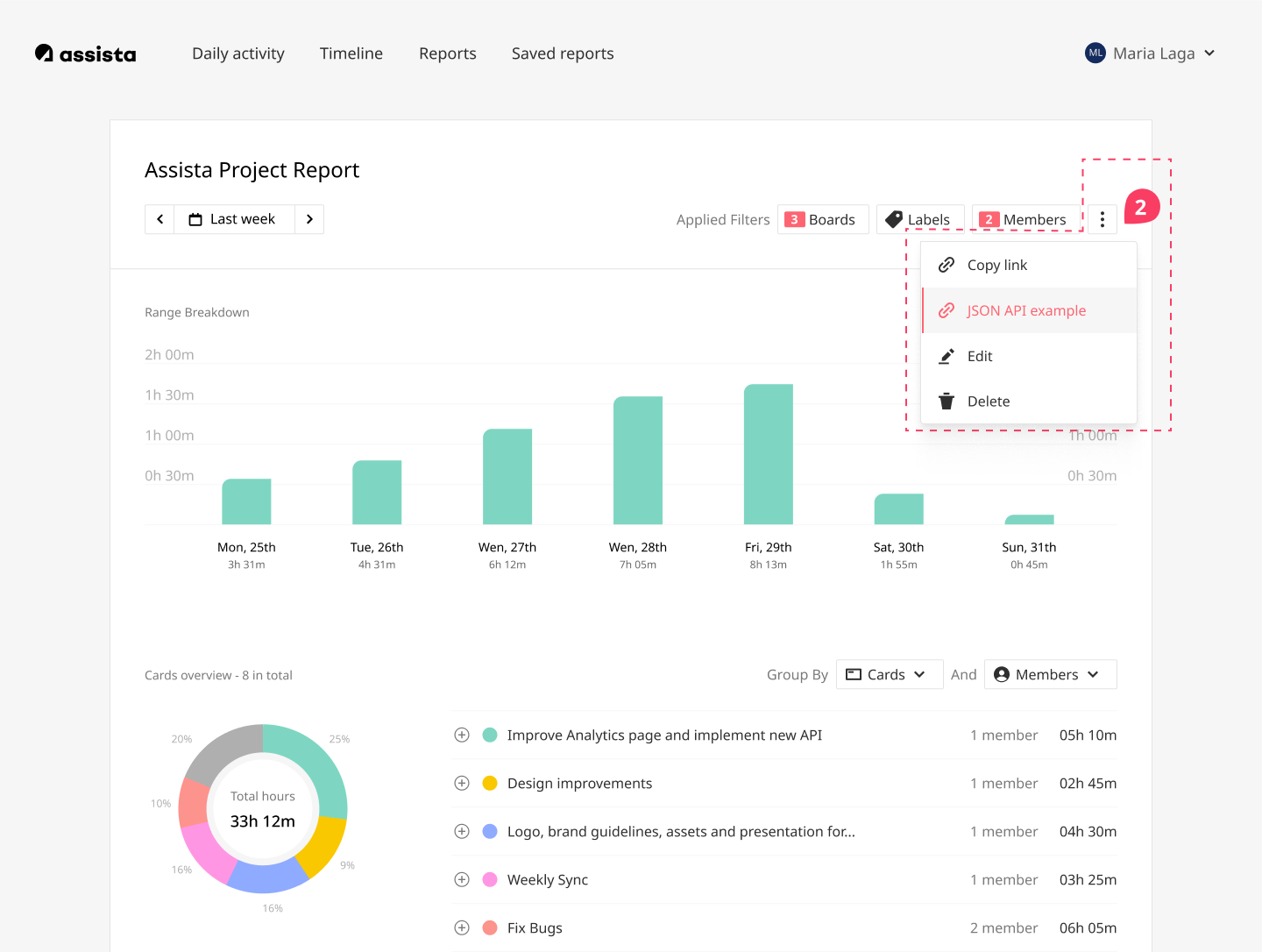
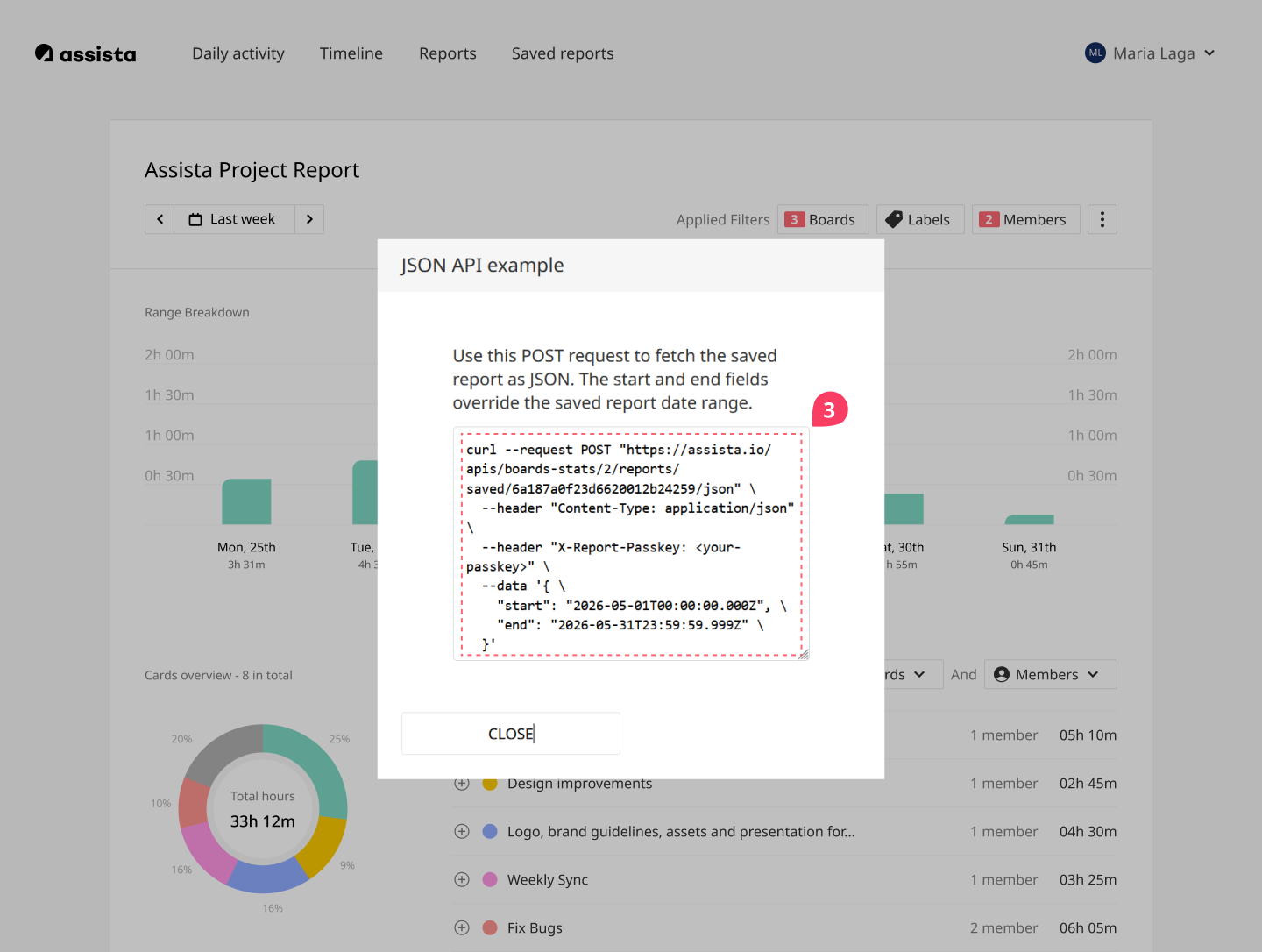
- Once your passkey is set, click the ⋮ menu on the report and select JSON API example.
- You'll see a ready-to-use POST request with your report's endpoint already included.
- Replace
<your-passkey>with your passkey, and adjust thestartandenddates to set your desired time period. - Copy the request and use it in your dashboard or tool.
Made for teams who build
Whether you're embedding data in a client dashboard or connecting Assista to your own tools, the JSON API gives you direct access to your report data without any extra steps.
Built on real feedback
This feature started with a simple question from one of our users: they wanted to display their Assista data inside a client dashboard without manual exports.
We listened, we built it, and now it's available for everyone.
Assista is a small product built with real care. Every feature we add comes from actual conversations with the people using it. If you have a workflow problem you can't solve, we want to hear about it.