
JSON API
Only available on our Business Plans
The JSON API lets you fetch your Saved Report data and use it in any external tool, dashboard, or client portal. The JSON API works with private reports. Your passkey controls who can access the data.
Setting up your API access key
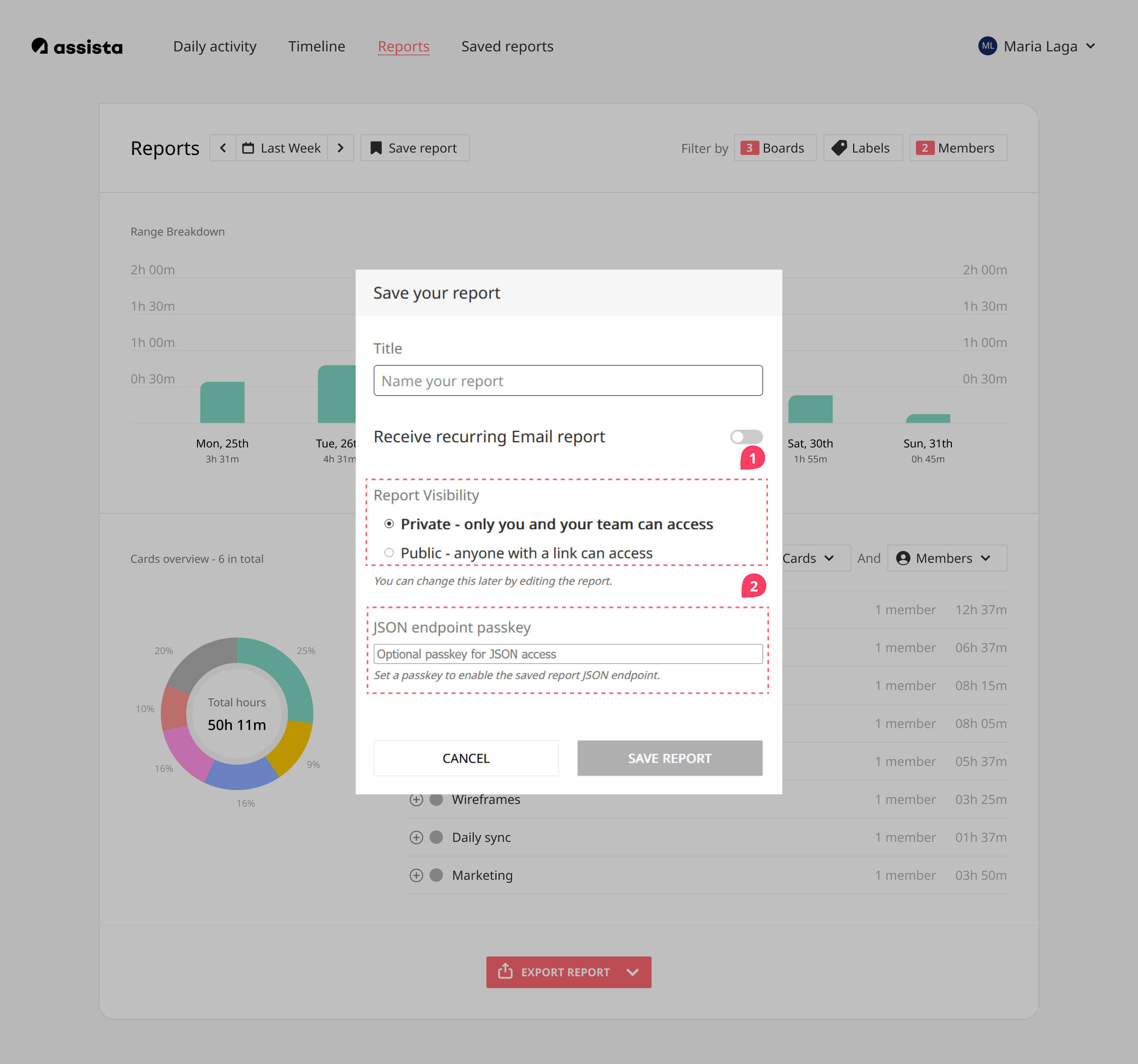
- When saving a new report, keep Report Visibility set to Private.
- Scroll down to JSON endpoint passkey and enter your passkey.
- Click Save report.
Adding a passkey to an existing report
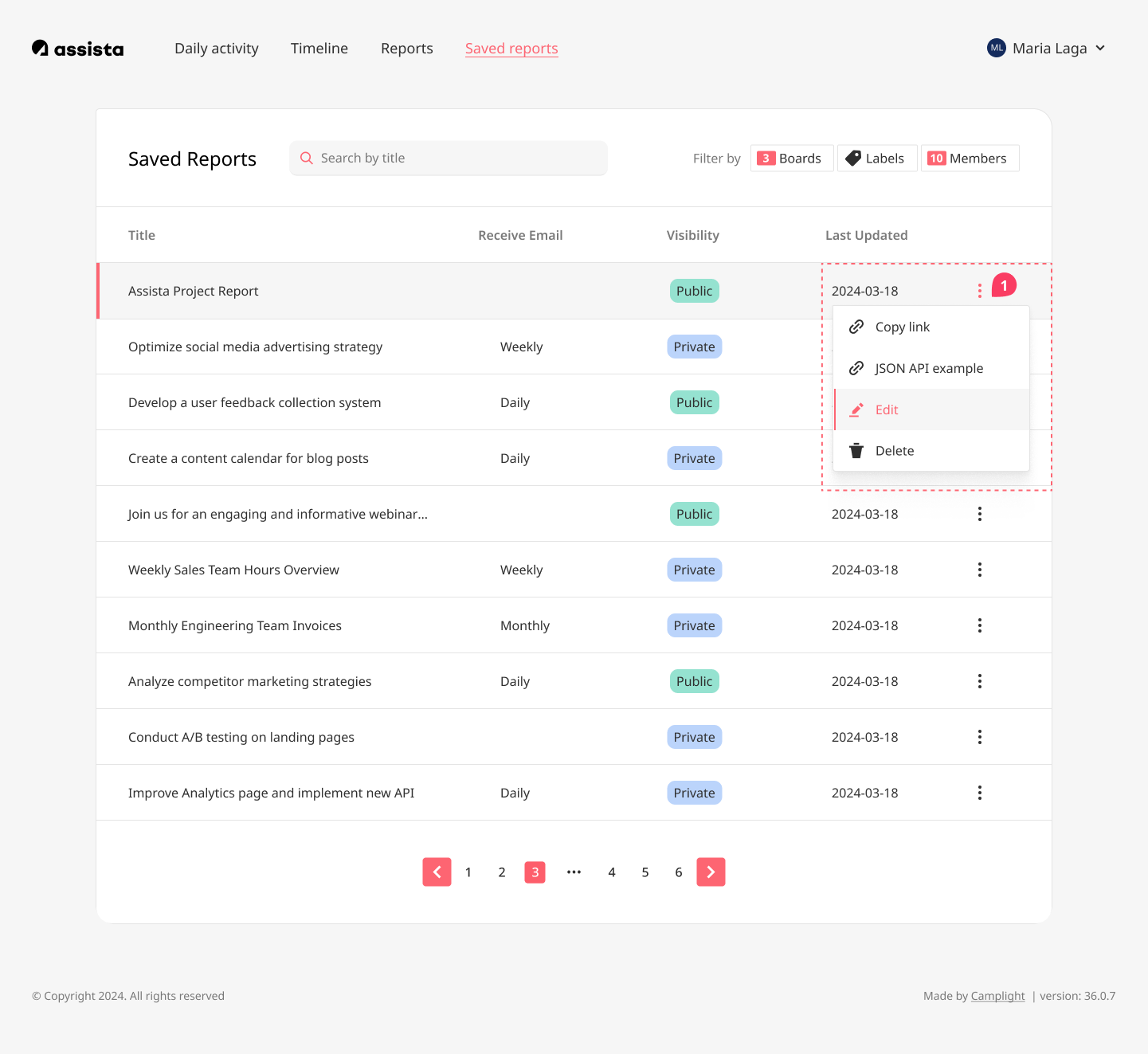
Open your Saved Reports, click the ⋮ (three-dot) menu on the report and select Edit - or open the report and click Edit from there.
Keep Report Visibility set to Private.
Scroll down to JSON endpoint passkey and enter your passkey.
Click Update report.
Using the API
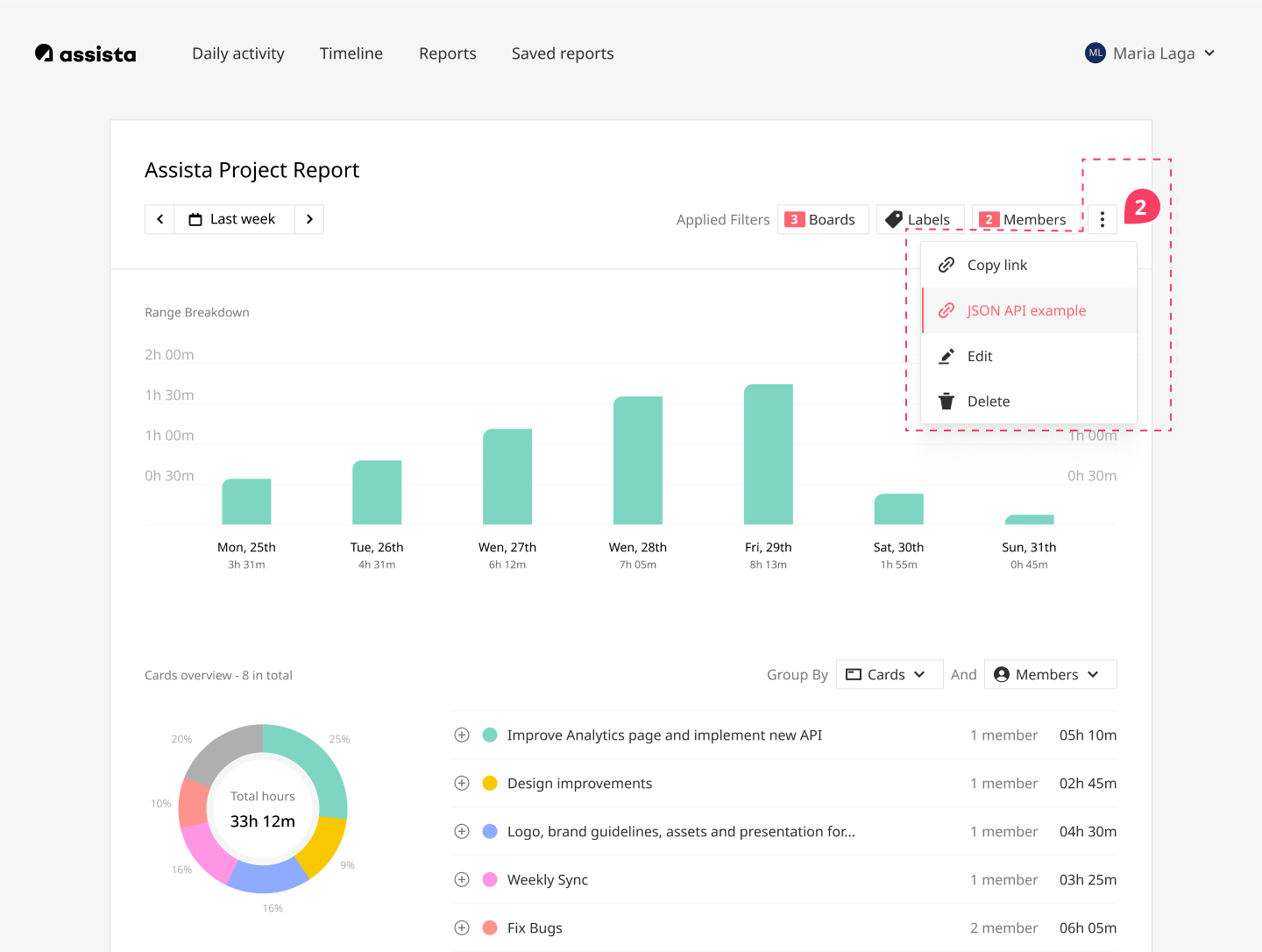
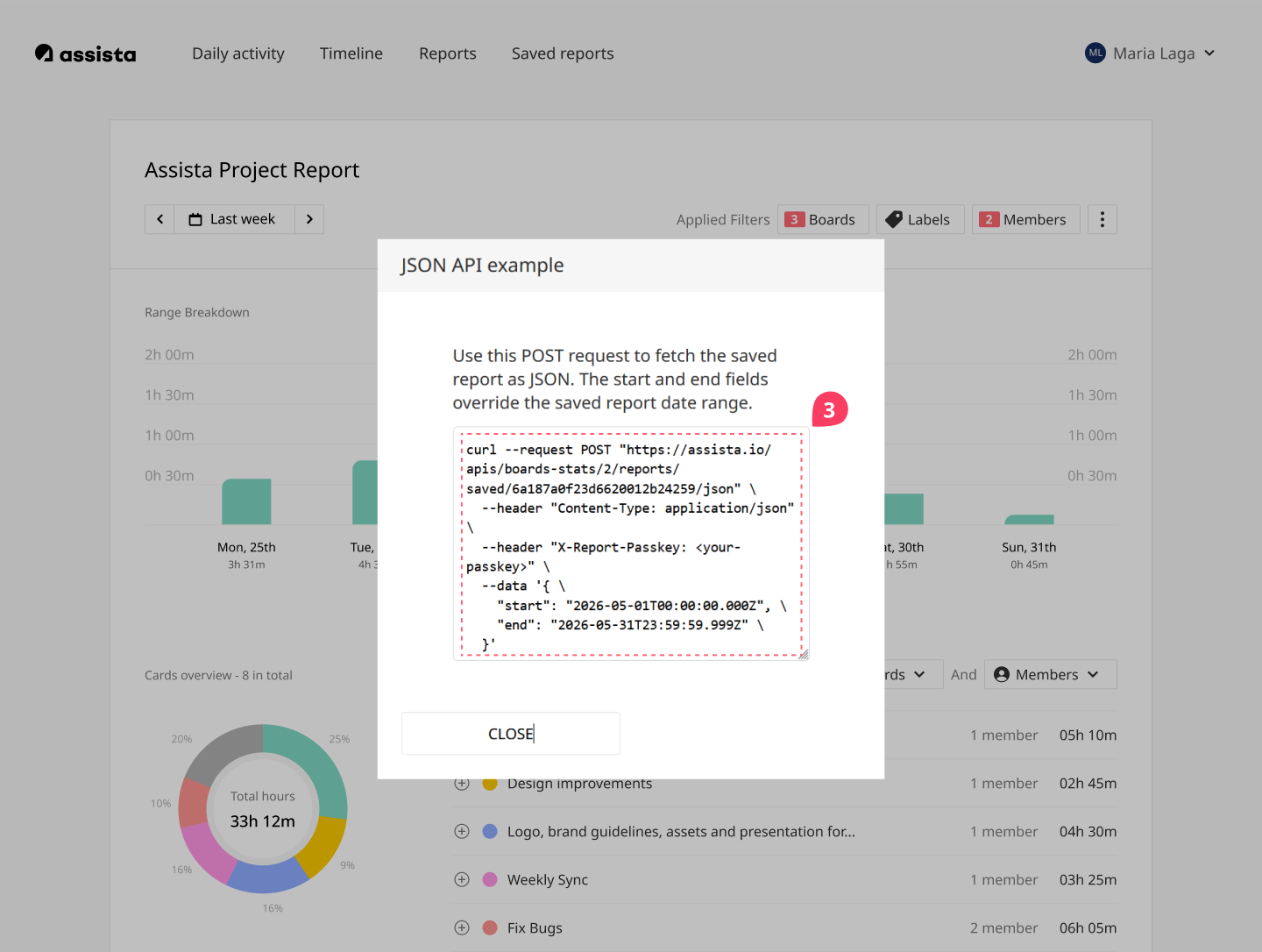
- Click the ⋮ menu on the report and select JSON API example.
- Replace
<your-passkey>with your passkey. - Adjust the
startandenddates to set your desired time period. - Copy the request and use it in your dashboard or tool.